John IV |
|
IV/Play, MAME, MAMEUI
|
|
|

|
|
Reged: 09/22/03
|
|
Posts: 2092
|
|
Loc: Washington, USA
|
|
|
|
Send PM
|
|
|
 IV/Play 2.8.4 Released.
#401981 - 05/29/26 01:34 AM
|
|
|
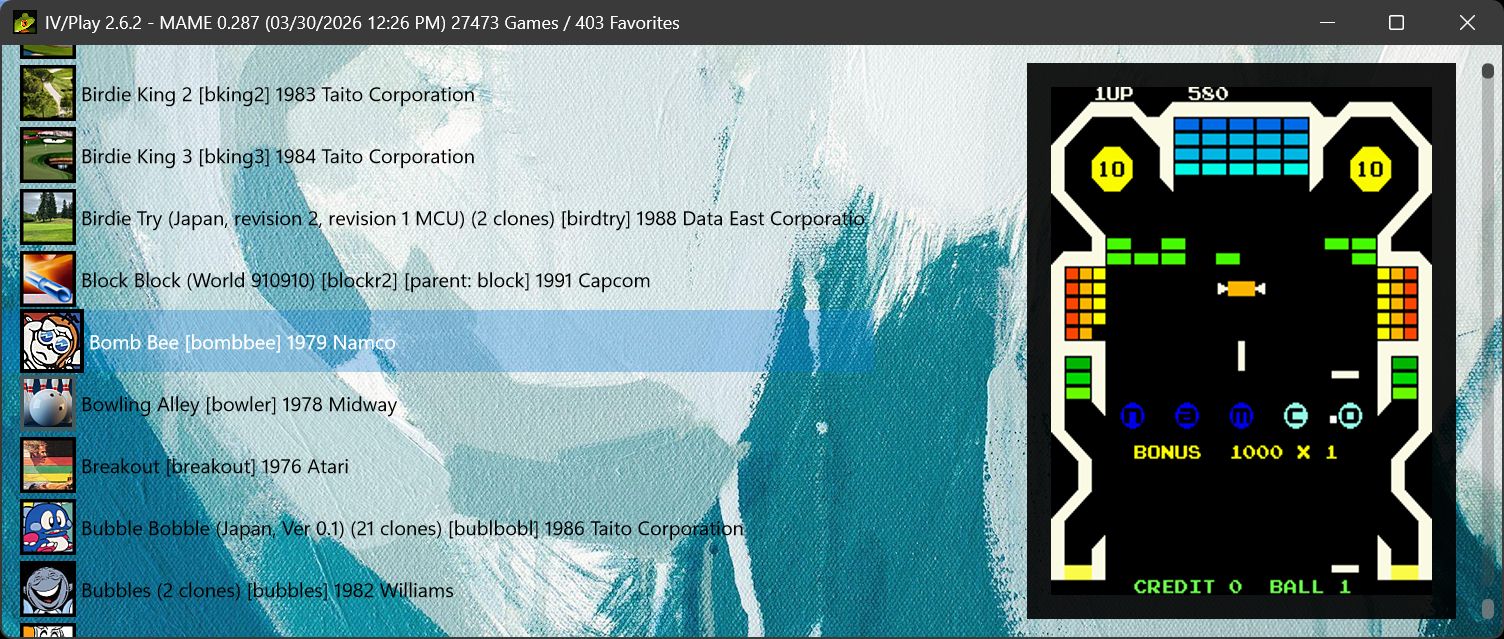
IV/PLAY 2.8 FEATURES
DPI & LAYOUT MODERNIATION
IV/Play’s DPI system has been rebuilt to eliminate the mix of pixel based and DIP based sizing that earlier versions relied on. All layout calculations now flow through a unified DPI aware geometry model, so the interface scales cleanly on high resolution displays and behaves correctly when moved between monitors with different scale factors. Window metrics, icon sizes, and hit testing now update deterministically when DPI changes, preventing the fractional drift and inconsistent sizing that could occur before. The result is a sharper, more stable presentation on modern 4K and mixed DPI setups without requiring any configuration changes from the user.
INTERNAL HISCORE.INI
Added support for an app-specific ‘HiScore.ini’ that sits next to the .exe. This is one game per line, tab delimited: machine name, tab, hiscore, tab, date. When present it will be displayed in the art area border under the snapshot at 50% opacity; it’s subtle. The hiscore in the row can be a combo of numbers and letters so it can take something like ‘150,000 Level 6’. It can be placed left, right, or centered via the *.cfg setting.
MAME SOURCE .CPP ADDED TO DAT PEEK
Added a link to the MAME source to the DAT Peek feature. The DAT peek cycle will include the machine in question’s XX.cpp file so it is easily accessible for informational purposes. MAME source path is set in the *.cfg source_root line.
ADDITIONAL FEATURES
• Added TohoScope Internal / External to the *.cfg. This is an amusing little feature that will alter the dimensions of the main UI to conform with TohoScope’s 2.35:1 aspect ratio in two different ways. The current default method and the one that has been used since IV/Play’s inception is 2.35:1 for the *entire* app including the Windows chrome. That always meant the internal window area was not TohoScope as a result. The new setting ‘Internal’ will now make the inner window area 2.35:1, increasing the total height of the app by the titlebar size.
• Live ROM availability monitoring via FileWatcherService. When a ROM is added or removed from a configured ROM directory, the Available gamelist updates automatically approximately one second after the file settles, without requiring an F12 manual scan.
• Auto-refresh of favorites sync on external favorites.ini changes, also via the FileWatcher pipeline.
https://john-iv.github.io/iv-play/
|
IV/Play Homepage : MAME™ Front-End, Icons, Snapshots & Benchmarks
https://john-iv.github.io/iv-play/
|
|
|

 Previous
  Index
Index  Next
Next  Threaded
 IV/Play 2.8.4 Released.
 Reply
Reply
